Music disc · C418
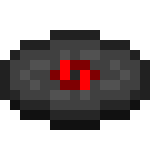
Chirp
3:05 · Java Edition 1.0+ · records/chirp.ogg
| Composer | C418 |
|---|---|
| Added in | 1.0 |
| Track length | 3:05 (185 seconds) |
| Comparator signal | 4 |
| Sound file | assets/minecraft/sounds/records/chirp.ogg |
| Generator availability | Java Edition 1.0 and later |
About Chirp
Chirp is the funkiest entry in the classic line-up — a lo-fi disco groove with a deliberately worn, crackly texture, as if the record itself had been left in a dungeon for a decade. It shares its exact 3:05 runtime with Cat, and the two are easy to confuse in a jukebox shuffle until the bass line kicks in. Like the other Volume Beta discs, it was composed by C418.
How to get Chirp in survival
Dropped when a skeleton or stray kills a creeper.
Once you have the disc, place it in a jukebox to play it. A redstone comparator reading the jukebox outputs a signal strength of 4 while Chirp is playing, which redstone builders use to detect exactly which disc is in the box.
Replacing Chirp with your own music
Chirp suits funk, disco and lo-fi replacements if you want to stay in character, but there are no restrictions — any audio works. The disc is present in every Minecraft version MineVinyl supports, so the Chirp slot is always available in the generator.
- Open the MineVinyl generator and select Java Edition 1.0 or later.
- Upload your audio to the Chirp slot. MineVinyl converts it to the mono OGG Vorbis format Minecraft expects — here's why mono matters.
- Download the zip and install it like any resource pack. Play Chirp in a jukebox to hear your track.
Only the audio changes — the disc item, its name, texture and loot sources all stay vanilla, and every disc you don't assign keeps its original sound.