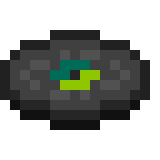
Music disc · C418
Mall
3:17 · Java Edition 1.0+ · records/mall.ogg
| Composer | C418 |
|---|---|
| Added in | 1.0 |
| Track length | 3:17 (197 seconds) |
| Comparator signal | 6 |
| Sound file | assets/minecraft/sounds/records/mall.ogg |
| Generator availability | Java Edition 1.0 and later |
About Mall
Mall lives up to its name: it has the unhurried, slightly melancholy feel of background music drifting through an empty shopping centre. Echoing percussion and a patient melody make it one of the more cinematic classic discs. It was composed by C418 for Minecraft – Volume Beta and gives a comparator output of 6 — dead centre of the classic disc range, which redstone builders sometimes use as a convenient middle reference.
How to get Mall in survival
Dropped when a skeleton or stray kills a creeper.
Once you have the disc, place it in a jukebox to play it. A redstone comparator reading the jukebox outputs a signal strength of 6 while Mall is playing, which redstone builders use to detect exactly which disc is in the box.
Replacing Mall with your own music
Mall is a solid pick for atmospheric or cinematic replacement audio. The disc exists in every Minecraft version MineVinyl supports, so it is always selectable in the generator. The replacement file is dropped into assets/minecraft/sounds/records/mall.ogg inside the generated pack.
- Open the MineVinyl generator and select Java Edition 1.0 or later.
- Upload your audio to the Mall slot. MineVinyl converts it to the mono OGG Vorbis format Minecraft expects — here's why mono matters.
- Download the zip and install it like any resource pack. Play Mall in a jukebox to hear your track.
Only the audio changes — the disc item, its name, texture and loot sources all stay vanilla, and every disc you don't assign keeps its original sound.