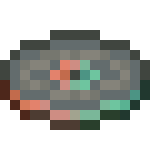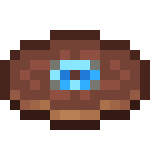
Music disc · Aaron Cherof
Relic
3:38 · Java Edition 1.20+ · records/relic.ogg
| Composer | Aaron Cherof |
|---|---|
| Added in | Java 1.20, Trails & Tales |
| Track length | 3:38 (218 seconds) |
| Comparator signal | 14 |
| Sound file | assets/minecraft/sounds/records/relic.ogg |
| Generator availability | Java Edition 1.20 and later |
About Relic
Relic arrived with the archaeology system in Trails & Tales and is the only disc you excavate rather than loot or craft: it emerges from suspicious gravel at trail ruins under a brush. Composed by Aaron Cherof, who also wrote much of the 1.20 background music, it has a stately, processional feel that suits its buried-treasure origin.
How to get Relic in survival
Found by brushing suspicious gravel at trail ruins with a brush — the only music disc obtained through archaeology.
Once you have the disc, place it in a jukebox to play it. A redstone comparator reading the jukebox outputs a signal strength of 14 while Relic is playing, which redstone builders use to detect exactly which disc is in the box.
Replacing Relic with your own music
Select Minecraft 1.20 or later in the generator to access the Relic slot. Because Relic is tied to archaeology, it is a fitting slot for historical, orchestral or discovery-themed replacement audio on adventure maps.
- Open the MineVinyl generator and select Java Edition 1.20 or later.
- Upload your audio to the Relic slot. MineVinyl converts it to the mono OGG Vorbis format Minecraft expects — here's why mono matters.
- Download the zip and install it like any resource pack. Play Relic in a jukebox to hear your track.
Only the audio changes — the disc item, its name, texture and loot sources all stay vanilla, and every disc you don't assign keeps its original sound.